
Authentication
There are two ways to authenticate against the public API, depending on whose workspace you're acting on. Picking the wrong one is the most common integration mistake, so start here.
| Caller | Mechanism | Used for |
|---|---|---|
| A third-party app you build (Make.com, your own backend, etc.) | OAuth2 Bearer token | The public partner API, /api/public/v1/ |
| You, calling the API from your own script | Personal API key (Bearer ic_live_...) | The public partner API, /api/public/v1/ |
Public API: OAuth2 (recommended for third-party integrations)
If you're building something that acts on another user's iCallAgent workspace (a Make.com scenario, a Zapier-style automation, or any app other people will connect their own account to), use the OAuth2 flow documented in API Reference → Authentication. The short version:
- Redirect the user to iCallAgent's
/oauth/authorize/endpoint with yourclient_idand the scopes you need. - The user picks which iCallAgent workspace to connect and approves.
- You exchange the returned
codefor anaccess_tokenat/oauth/token/. - Every API call is authenticated with
Authorization: Bearer <access_token>.
Tokens are scoped to a single workspace at consent time; acting on a different workspace requires the user to reconnect.
Public API: Personal API keys (recommended for your own scripts)
If you just want to call the API from your own script, cron job, or backend against your own workspace, a personal API key is the shortest path. No redirect URI, no client registration, no consent screen.
Create one
- Open the dashboard.
- Left sidebar → Settings → Settings.
- Choose the API Keys tab.
- Click New API key and give it a name.
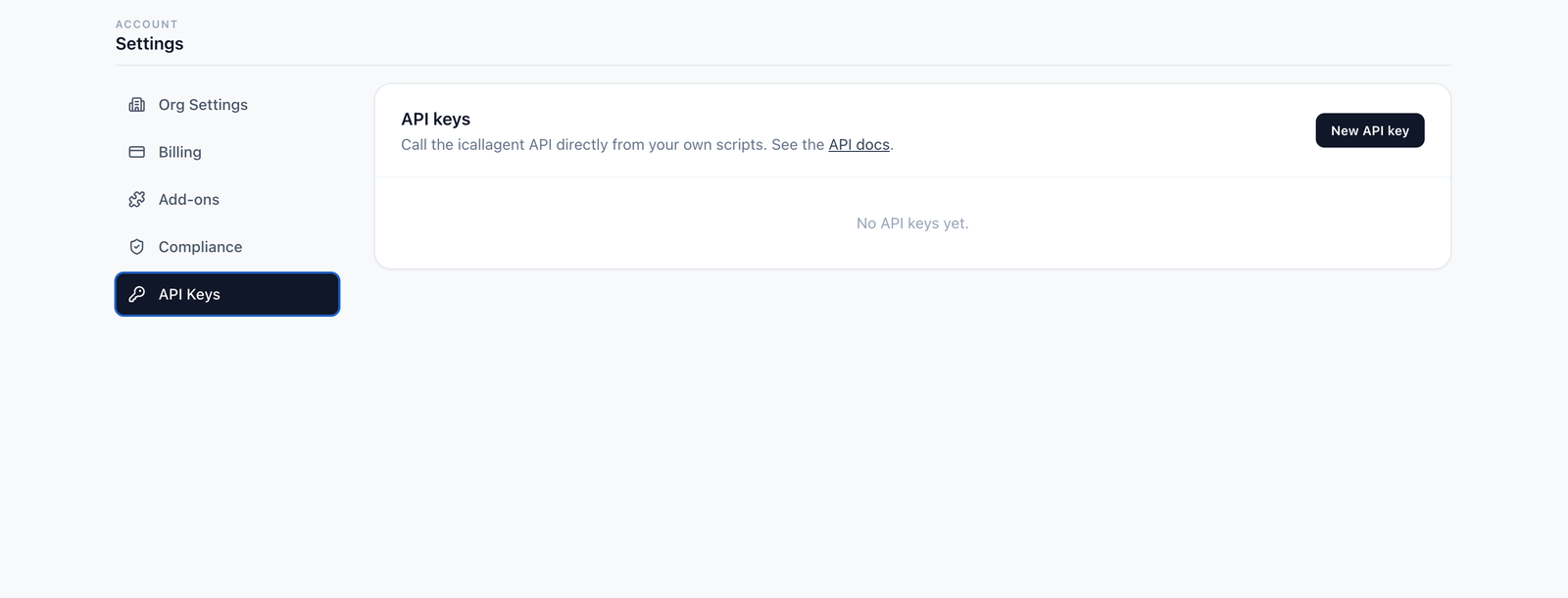
A name is required — it's the only way to tell keys apart later, since you can never see the key itself again. Name it after the thing that will use it (zapier-prod, nightly-import), not after yourself.
Then send it as a bearer token:
Authorization: Bearer ic_live_<your key>The key is shown exactly once
There is no "view key" — only "create another"
iCallAgent stores a SHA-256 hash of the key, never the key itself. The full value is returned once, at creation, and cannot be recovered by support, by you, or by anyone with database access.
Copy it straight into your secret store. If you lose it, revoke it and create a new one.
The dashboard afterwards shows only the name, a short prefix, when it was created, and when it was last used — enough to identify a key, never enough to use one.
What a key can and can't do
| Bound to | The one workspace it was created under. It cannot reach another. |
| Permissions | All of them. A key has no scopes — it can call every endpoint in the API reference for its workspace |
| Expiry | None. A key works until you revoke it |
| Revocation | Immediate. The next request with that key gets 401, not a grace period |
Because there are no scopes, create one key per integration rather than reusing a single key everywhere. That way revoking a compromised or retired integration doesn't break the others.
Rotating a key
Revoking is instant, so rotate in this order to avoid downtime:
- Create the new key and deploy it.
- Confirm the integration is working on the new key.
- Revoke the old one.
The last used timestamp helps here — it tells you whether anything is still calling the old key before you pull it. It's updated at most once every few minutes, so treat it as "recently active", not as a precise log.
The two are interchangeable
Every endpoint in the API reference accepts either credential. There is no "API-key-only" or "OAuth2-only" endpoint, and no mode to select — both go in the same header:
Authorization: Bearer ic_live_<your key>     # personal API key
Authorization: Bearer <access_token>         # OAuth2
They're told apart by the ic_live_ prefix: anything carrying it is treated as a personal key, and anything else falls through to OAuth2. So if a code sample shows one and you hold the other, swap it in — the call behaves identically.
The choice is about whose workspace you're acting on, not about what you can do:
| Personal API key | OAuth2 | |
|---|---|---|
| Acts on | Your workspace | Another user's, with their consent |
| Setup | Create it in the dashboard | Register a client, run a consent flow |
| Use when | Scripts, cron jobs, your own backend | An app other people connect their account to |
One behaviour worth knowing: a malformed or revoked ic_live_ key fails with 401. It does not quietly fall back to an unauthenticated request, so a broken key surfaces as an error rather than as mysteriously empty results.
Next
- API reference — every endpoint and its request shape
- Authentication reference — the OAuth2 flow in full
- Glossary