
Tools
Tools are what turn an agent from something that talks into something that does. Booking an appointment, looking up an order, transferring to a human, ending the call — each is a tool the agent decides to use, mid-conversation, on its own.
How a tool call actually works
The agent isn't following a script. On every turn it chooses between replying and calling a tool first.
Two consequences that shape how calls feel:
- Tool calls take real time. Your system has to answer while the caller waits. The agent covers the gap with a short holding line — "let me check that for you" — then speaks the result.
- The model chooses. You don't wire tools to phrases. You give the agent a tool, describe when to use it, and it decides. Which means your system prompt is what makes tool use reliable.
Built-in tools
These ship with the platform and need no integration.
| Tool | What it does |
|---|---|
| Knowledge base | Searches the agent's documents for relevant content |
| Contacts | Looks up a contact in the workspace by name, department or phone |
| Transfer call | Hands the live call to another number or extension |
| Hangup call | Ends the call |
| Schedule call | Queues a follow-up call, optionally into a campaign |
| Blacklist number | Blocks the current contact from future outbound calls |
| Transcript | Reads back earlier turns of the current call |
Hangup is the one every agent should have. Without it the agent can't end calls, and every conversation runs until the caller hangs up or the duration limit hits.
Integration-backed tools
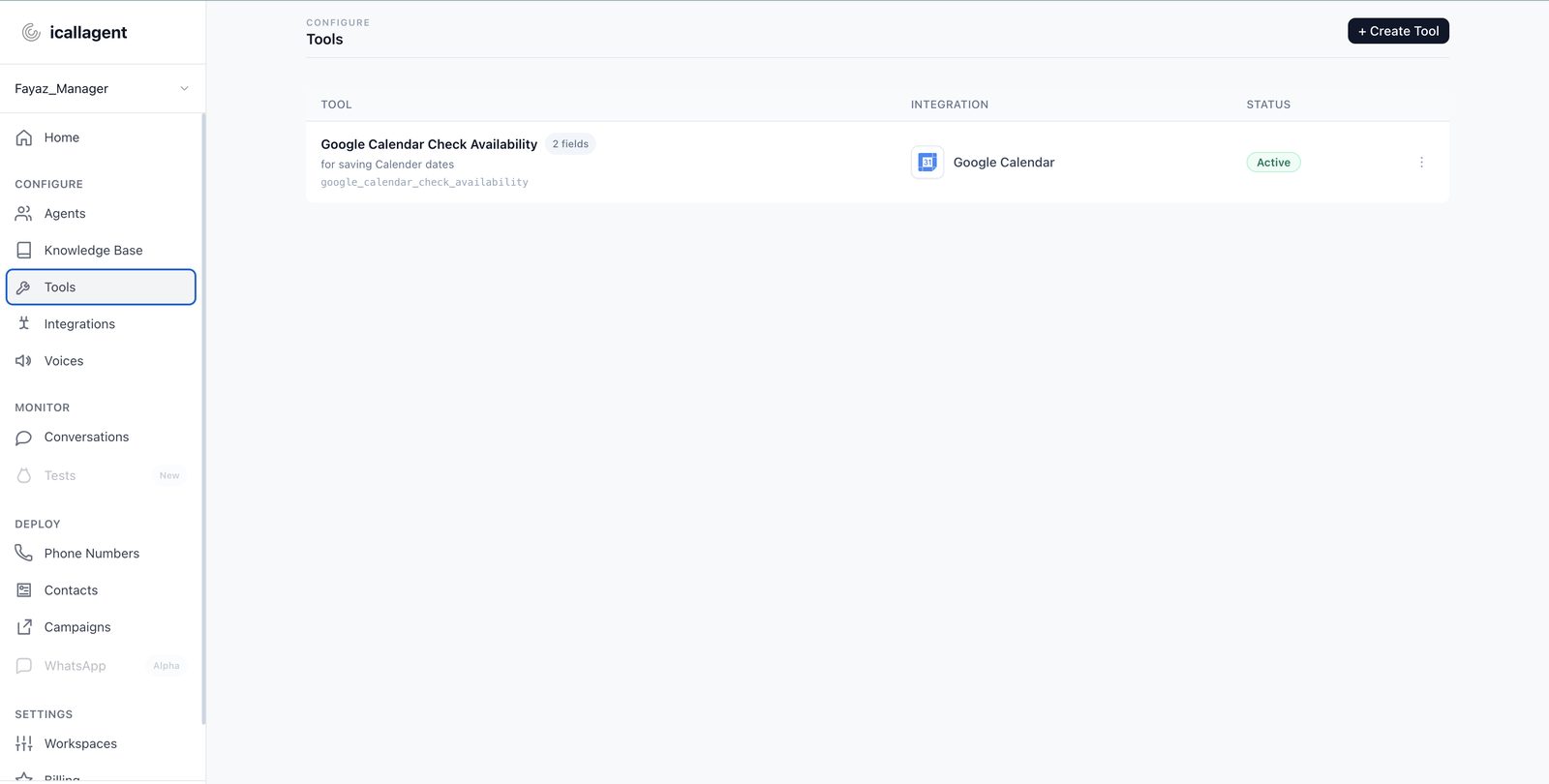
Anything reachable through a connected integration — CRM records, calendar bookings, Slack messages, spreadsheet rows.
The integration is connected once per workspace, then its tools can be assigned to any agent in that workspace. Available integrations include Salesforce, HubSpot, Google Calendar, Google Sheets, Slack, Twilio, Telnyx and Make.com. See Integrations for what's live and how to connect each one.
Make.com is worth calling out: it lets the agent trigger any Make scenario, which in practice means anything Make can reach — useful for systems with no direct integration.
Assigning tools
Path
- If the tool needs an outside system (CRM, calendar, Slack, phone):
Left sidebar → Configure → Integrations → connect the provider.
With none connected, Tools often shows "No connected integrations available". - Create or edit the tool definition:
Left sidebar → Configure → Tools. - Assign it to one agent:
Left sidebar → Configure → Agents → open the agent → top tab Tools.
Turn on or add only the tools that agent should see. - Save if prompted (Save changes / Close and save).
- Agents → same agent → Test → Start test call and force a situation that needs the tool.
An agent only ever sees the tools you've given it on its Tools tab.
Give it fewer tools than you think
Every tool is another option the model weighs on every single turn. An agent with fifteen tools picks the wrong one more often than an agent with four. Start minimal and add when a real call proves you need it.
Making tool use reliable
The tool exists; the model still has to choose it correctly. That's a prompt job.
Say when to use it, in the caller's language, not yours:
When the caller asks about an existing order, use the order lookup
tool with their order number. If they don't know it, ask for the
email address they ordered with.
Say what to do when it fails. Tools fail — expired credentials, a system down, no matching record. Without instruction the agent improvises, and improvised answers about someone's order are worse than an honest failure:
If a tool returns nothing or fails, tell the caller plainly that
you couldn't retrieve it, and offer to take a message. Never guess
at order status, prices or availability.
Require confirmation before anything irreversible:
Before booking, transferring, or ending the call, confirm the
details with the caller and wait for a clear yes.
This matters more than it sounds. Transcription occasionally produces a plausible sentence the caller never said — see How a voice agent works. A confirmation step is what stops that from booking a real appointment.
When a tool fails
Failures are returned to the agent as a readable message rather than dropping the call. The agent reads the failure and decides how to continue — which is why the "what to do when it fails" instruction above matters. Without it the agent knows something went wrong and has no idea what you'd like it to say.
Checking what happened
Every tool call is recorded on the conversation, with its outcome.
- Left sidebar → Monitor → Conversations.
- Open the call.
- Check which tools ran, in what order, and what came back.
This is the fastest way to debug "why did it say that?" — usually the tool returned something different from what you assumed, or wasn't called at all.
Next
- Knowledge base — the tool most agents need first
- Integrations — connecting your systems
- Writing the system prompt — making tool use reliable