
Outbound Campaigns
A campaign dials a queue of contacts on a schedule. You can build one from the dashboard, or drive it entirely from the public API. This guide covers both.
1. Create the campaign
A campaign needs, at minimum, an agent to place the calls.
Dashboard path
- Open the dashboard.
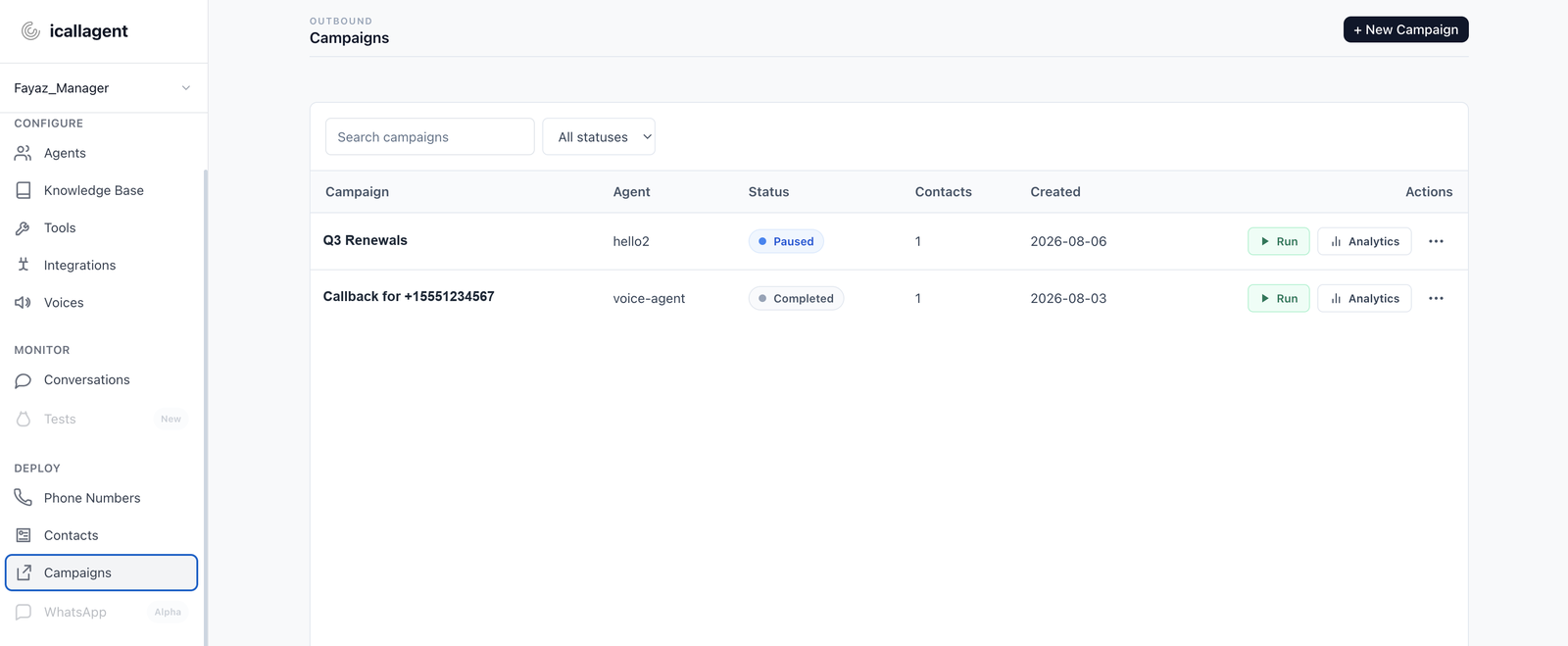
- Left sidebar → Deploy → Campaigns.
- Click + New Campaign (or Create your first campaign).
- In the wizard: name, agent, numbers to call from, contacts, schedule & limits, compliance.
- Finish with status
draftuntil you're ready (or setactivewhen you want dialing to start — see step 4).
API
curl -X POST https://api.icallagent.com/api/public/v1/campaigns/ \
  -H "Authorization: Bearer ic_live_<your key>" \
  -H "Content-Type: application/json" \
  -d '{
    "name": "Q3 Renewals",
    "widget_id": "7",
    "status": "draft"
  }'
Campaign creation is deliberately a separate step from adding contacts: a scenario or script shouldn't create a new campaign every time it adds one contact.
2. Queue contacts
Dashboard path
- Left sidebar → Deploy → Contacts.
- + Add contact, or Import (CSV / Excel / Google Sheet).
- Attach them in the campaign wizard (or edit the campaign and import contacts there).
Contacts can also be added one at a time via the API:
curl -X POST https://api.icallagent.com/api/public/v1/contacts/ \
  -H "Authorization: Bearer ic_live_<your key>" \
  -H "Content-Type: application/json" \
  -d '{
    "phone": "+15551234567",
    "name": "Jane Doe",
    "campaign_id": 12
  }'
Adding a contact to a draft or paused campaign is allowed. It just won't be dialed until the campaign is active. Every contact is checked against the compliance gate (blacklist, do-not-call, revoked consent) before a call is ever scheduled; a blocked contact returns 422 and nothing is queued.
3. Set the schedule (optional)
Leaving the schedule fields unset means the campaign runs unrestricted, any time of day, every day. To constrain it:
| Field | Example |
|---|---|
timezone | America/New_York |
start_date / end_date | 2026-08-01 / 2026-08-31 |
start_time / end_time | 09:00 / 17:00 |
weekdays | ["mon", "tue", "wed", "thu", "fri"] |
excluded_dates | ["2026-09-01"] |
4. Activate it
Only campaigns with status: "active" are ever dialed.
- Left sidebar → Deploy → Campaigns.
- Open the campaign.
- Set status to active (dashboard control).
Until then, draft / paused hold the queue without dialing.
5. React to completed calls
Subscribe a webhook to get a call.completed event as each call in the campaign finishes. See API Reference → Webhooks.
Full field reference
See API Reference → Campaigns and API Reference → Contacts for every field, default, and edge case.
Next
- Call your own phone — rehearse the flow on yourself first
- Contacts API — queue contacts from your own systems
- Webhooks — react as each call finishes