
Workspaces
A workspace is the container everything else lives in. It's the first concept to get straight, because almost every "why can't my agent see that?" question turns out to be a workspace boundary.
What a workspace holds
Agents, phone numbers, contacts, campaigns, knowledge bases and integrations all belong to exactly one workspace. Nothing crosses the boundary. A contact added to one workspace is invisible to another. An agent can only use a phone number from its own workspace.
Why you'd want more than one
Most people need one. You want a second when the things inside genuinely shouldn't mix:
- An agency running several clients. Each client's contacts, numbers and call records stay separate — which is usually a contractual requirement, not a preference.
- Separating production from testing. A workspace for experiments means a misconfigured campaign can't dial your real customer list.
- Separate business lines with different numbers, scripts and compliance rules.
If you're one company with one customer list, one workspace is the right answer. Splitting for tidiness costs you more than it gives — you end up re-uploading the same knowledge base twice.
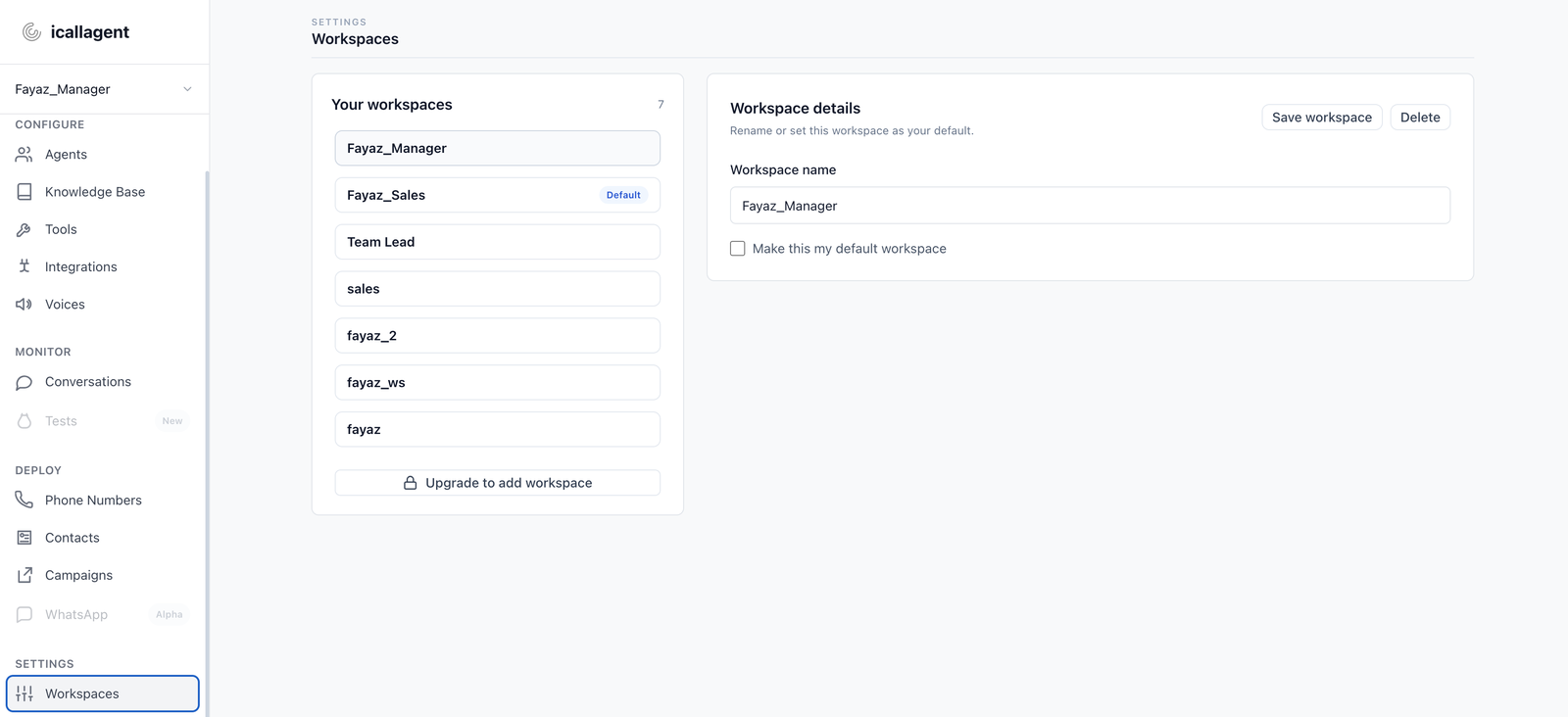
Switching workspaces
The dashboard is always acting on one workspace: whichever is currently selected. Every list you see — agents, contacts, conversations — is filtered to it.
Manage them under Workspaces in the sidebar, where you can create, rename and delete.
A missing agent is usually the wrong workspace
Before assuming something was deleted, check which workspace you're in. This is the single most common cause of "my agent disappeared".
Workspaces and the API
Over the public API a credential is bound to one workspace, permanently:
- A personal API key acts on whichever workspace it was created under.
- An OAuth2 token is bound at consent time — the user picks the workspace when they approve.
There's no header to switch. Acting on a different workspace means a different key, or asking the user to reconnect and choose another one. See Authentication.
This is also why cross-workspace references return 404 rather than 403 — the API never confirms whether an id exists somewhere you can't reach. See Errors.
Deleting a workspace
Deleting takes everything inside with it: agents, contacts, campaigns and call history. There's no undo. Move anything you want to keep first.
Next
- Core concepts — the objects a workspace holds
- The dashboard, page by page — where each of them lives