
Phone numbers
Give an agent a real number so people can call it, and so it can call them.
The three ways to get a number
| Route | When it fits |
|---|---|
| Twilio | You already use Twilio, or want numbers billed to your own account |
| Telnyx | Same, on Telnyx |
| SIP trunk / BYOC | You have existing telephony — a PBX, a carrier contract, a contact centre |
Twilio and Telnyx are the quickest path in the dashboard:
- Left sidebar → Configure → Integrations — connect the account.
- Left sidebar → Deploy → Phone Numbers — provision or Sync all.
Bring your own carrier
The platform also supports connecting a SIP trunk and an outbound trunk (BYOC).
Path: left sidebar → Configure → Integrations → SIP / Outbound Trunk pages.
These are the right path if you have existing carrier relationships, need calls to originate from your own infrastructure, or want to register a device — a softphone like Cisco Jabber or Webex, or an in-house build — directly into iCallAgent. See SIP trunking and BYOC for field-by-field setup.
Connecting Twilio or Telnyx
- Open the dashboard.
- Left sidebar → Configure → Integrations.
- Add the provider with your credentials:
- Twilio — Account SID and Auth Token
- Telnyx — API key
- Save. Credentials are verified against the provider before the integration saves, so an invalid pair is rejected immediately rather than failing on your first call. They're stored server-side and never returned by any API response.
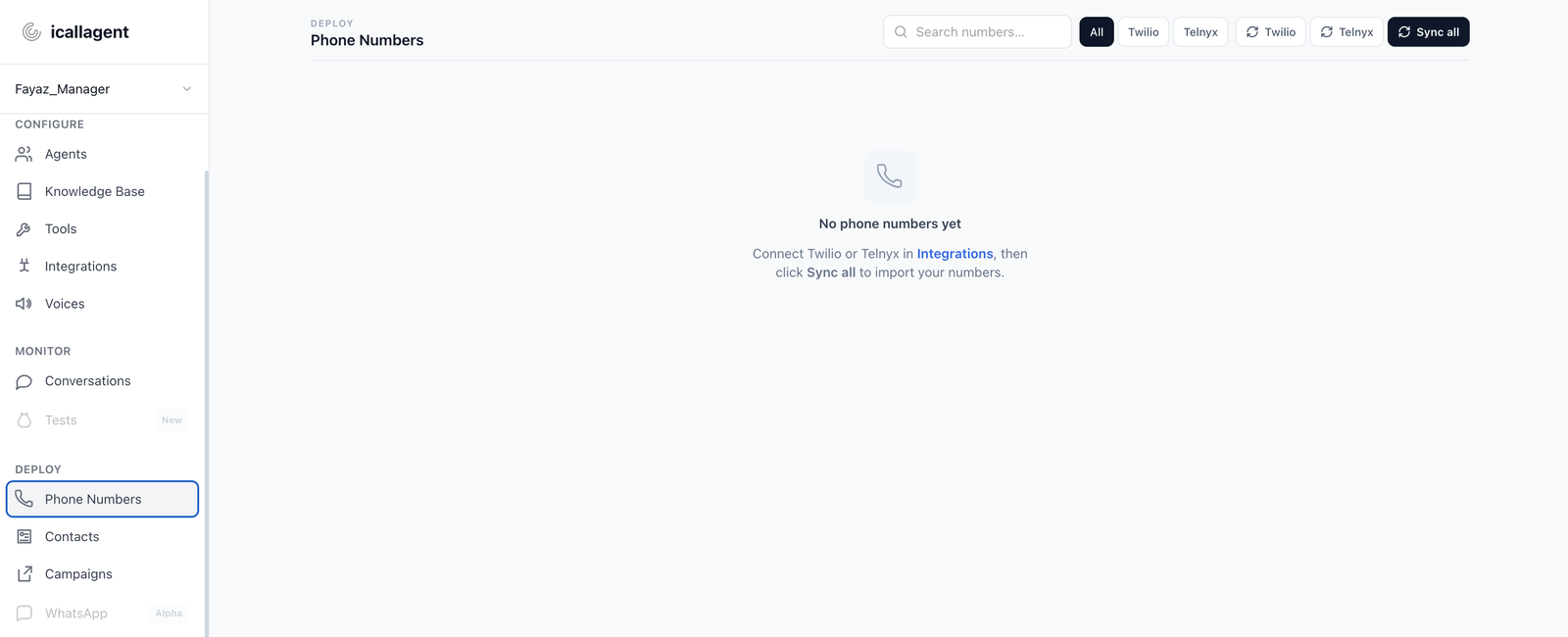
Assigning a number to an agent
- Left sidebar → Deploy → Phone Numbers.
- Assign a provisioned number to an agent.
That number then:
- Routes inbound calls to that agent
- Acts as the caller ID on outbound calls the agent places
One agent can have several numbers — a support line and a sales line reaching the same agent, for instance.
Extensions
Every agent is automatically given a short extension, a dialable number that reaches it directly over a SIP trunk. Useful when you're routing calls from an existing phone system and want to send specific calls to specific agents without dedicating a full number to each.
The extension isn't shown in the dashboard yet
The value is assigned automatically and is returned by the agent API, but no page in the dashboard currently displays it. If you need it, read it from the agent record over the API or ask iCallAgent.
Don't confuse this with the Extension option under an agent's call-transfer targets — that one is an extension you type in as a destination to transfer calls to, not the agent's own.
Testing an inbound number
- Configure → Agents → confirm the agent status is Live.
- Deploy → Phone Numbers → confirm the number is assigned to it.
- Call the number from an actual phone.
- Left sidebar → Monitor → Conversations → open the call and read the transcript.
Use a real phone rather than a softphone for the first test. Mobile audio, network jitter and speakerphone are what your callers will actually use, and they surface timing problems a clean connection hides.
Placing outbound calls
Three ways, depending on volume:
| Volume | Use |
|---|---|
| One call | Place it from the dashboard |
| A list | An outbound campaign |
| Triggered by another system | The public API or Make.com |
Outbound calls are gated
Before any outbound call is placed, the contact is checked against the blacklist, the do-not-call list, and their consent status. A blocked contact is never dialed, and the API rejects the request with the reason rather than silently skipping it.
This is deliberate — it's the mechanism that keeps outbound calling compliant. See Core concepts → Contact.
Outbound calling carries legal obligations
Rules on consent, calling hours, caller ID and AI disclosure vary by country and by state. Know what applies to you before running a campaign. Campaign scheduling supports timezones, permitted hours, allowed weekdays and excluded dates precisely so you can stay inside them.
Reaching a human
Most agents need an escape hatch. Give the agent the transfer call tool and tell it when to use it:
If the caller asks for a person, becomes frustrated, or raises
something you cannot help with, transfer the call to the support
line and tell them you're transferring before you do it.
The "tell them before you do it" part matters — a silent transfer sounds like a dropped call. See Tools.
Troubleshooting
Inbound calls don't reach the agent
- Is the agent Live?
- Is the number assigned to it under Phone Numbers?
- Does the number's configuration at the provider point at iCallAgent?
Outbound calls fail immediately
- Check the contact isn't blacklisted or do-not-call.
- Check the account has remaining balance.
- Check the campaign is
active—draftandpausedcampaigns hold contacts without dialing.
The call connects but the agent doesn't speak
Check the agent's greeting is set, and look at the call under Conversations — its status and hangup cause will usually identify the stage that failed.